Did you perhaps disable (or play with) the Auto Sign-in setting of Chrome? Automatically sign in to websites using stored credentials. If disabled, you will be asked for confirmation every time before signing in to a website.
I did today after reading your post and had to spend time to restore my Gmail accounts in Neo for Chrome...
Do you use one Google account for Synchronization?
Is the password of that account (not) saved in Chrome?
When I turned of Auto Sign-in accounts.google.com landed in the Never Saved list. And I suspect because my main Sync account password wasn't saved in Chrome all my Google accounts disappeared from Neo (they all got logged out).
I have the same problem!!! Windows 10, HP Envy Laptop. I am signed into google My auto-sign in is enabled But still no email accounts under the toolbar icon! Help! Any solutions yet? Thanks!
UPDATE: Now I can see the various addresses in the drop down menu, AND I can click on each one individually and go to that address, (yay!) HOWEVER, it STILL does not notofy or show new emails in the drop down menue like before. Almost there. any ideas? Thanks.

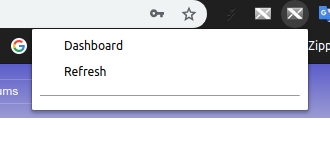
Please check if
Please check if
Hello,
Hello,
1 it's Ok
2 it's Ok too
But not work
I dont understand what's happening it has always worked well until today.
Thanks.
Auto Sign-in
Did you perhaps disable (or play with) the Auto Sign-in setting of Chrome?
Automatically sign in to websites using stored credentials. If disabled, you will be asked for confirmation every time before signing in to a website.
I did today after reading your post and had to spend time to restore my Gmail accounts in Neo for Chrome...
Scenario
When I turned of Auto Sign-in accounts.google.com landed in the Never Saved list. And I suspect because my main Sync account password wasn't saved in Chrome all my Google accounts disappeared from Neo (they all got logged out).
@tobwithu
N.B.: There are 2 settings in the password settings for Google Chrome (since vs 69 ?):
. chrome://settings/passwords
Hello jeroen
In the Xnotifier Neo options there are no longer my email addresses
Everything is checked and the passwords are saved.
Look at pics:
Options Neo: https://i.postimg.cc/qRpbTjrS/S-lection.jpg
Settings Google Chrome:
https://i.postimg.cc/2yVxktKc/S-lection-001.jpg
https://i.postimg.cc/yxgF4ZD2/S-lection-002.jpg
Thank you for your interest and your answers.
Cordially ...
I have the same problem!!
I have the same problem!!!
Windows 10, HP Envy Laptop.
I am signed into google
My auto-sign in is enabled
But still no email accounts under the toolbar icon!
Help!
Any solutions yet?
Thanks!
Auto Sign-in or Saving
Auto Sign-in or Saving passwords have no relation with X-notifier Neo.
Once you access Gmail, X-notifier Neo will detect it.
I have the same problem as
I have the same problem as ColieBud.
I am signed into google (windows 10)
My auto-sign in is enabled
But still no email accounts under the toolbar icon!
Help!
Any solutions yet?
Thanks!
Connected Gmail Accounts
I have access to all my Gmail accounts.
I am connected to all accounts but none is detected by X-Neo.
I do not understand why it worked very well until 2 days ago.
Link:
https://i.postimg.cc/zvQRqMqX/S-lection.jpg
I admit that I am completely lost.
It's Ok
RAaahhh it's OK !!!
I found where my problem came from.
I had to authorize the address:
https://mail.google.com
In:
chrome://settings/content/Cookies
I do not know why she was gone.
May be due to a cleaning of Cookies.
Thank you for your help.
I wish you a good day.
Cordially.
ColieBud, how did you
ColieBud, how did you "authorize" the address? I am using chrone browser, windows 10.
Thanks.
UPDATE: Now I can see the
UPDATE: Now I can see the various addresses in the drop down menu, AND I can click on each one individually and go to that address, (yay!) HOWEVER, it STILL does not notofy or show new emails in the drop down menue like before.
Almost there. any ideas?
Thanks.
For address
Did you find where to put the address?
In Chrome = Settings / Advanced Settings / Content Settings / Cookies and at the bottom of the page "Authorize" "Add".
"Have you tried emptying the cache?
on no account
ain't no alone account is curable
all of them painted in red
Version 71.0.3578.80